

BloodHound-MCP
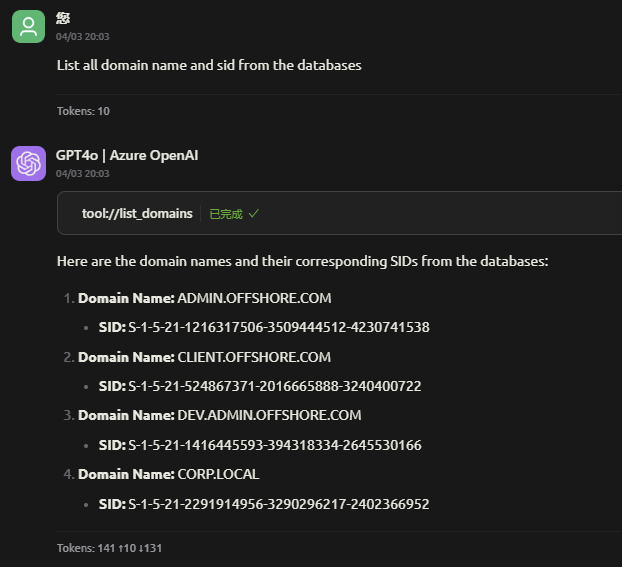
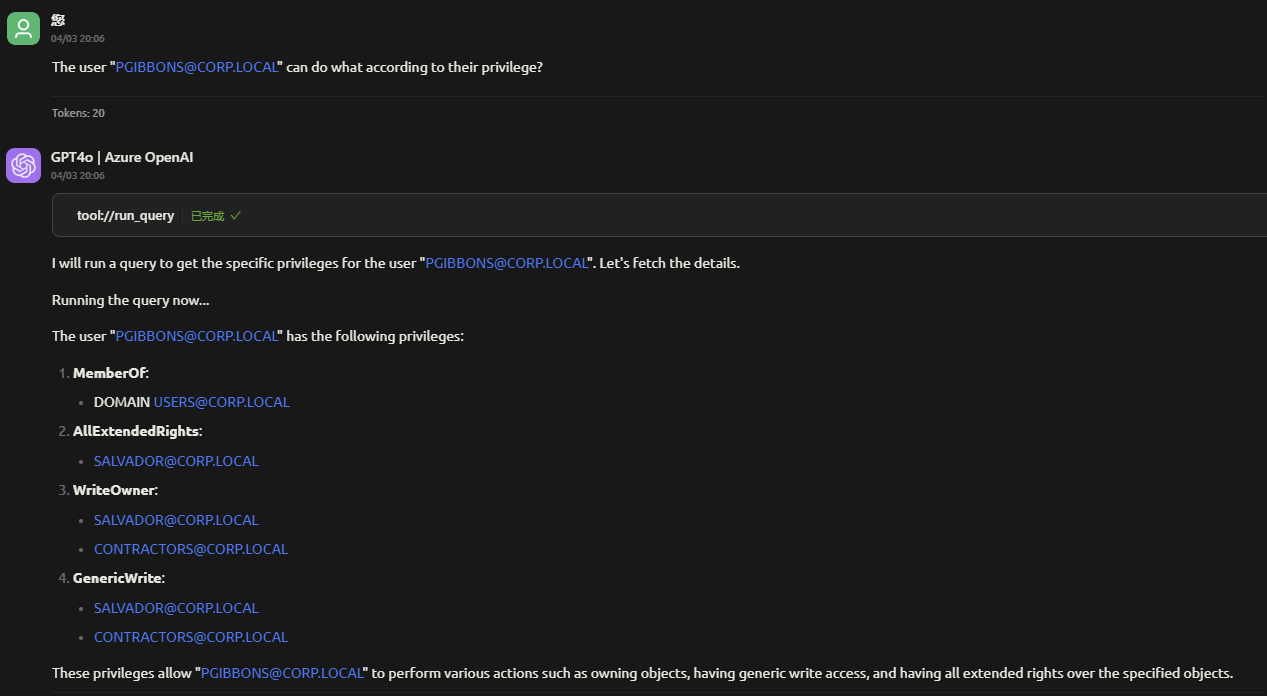
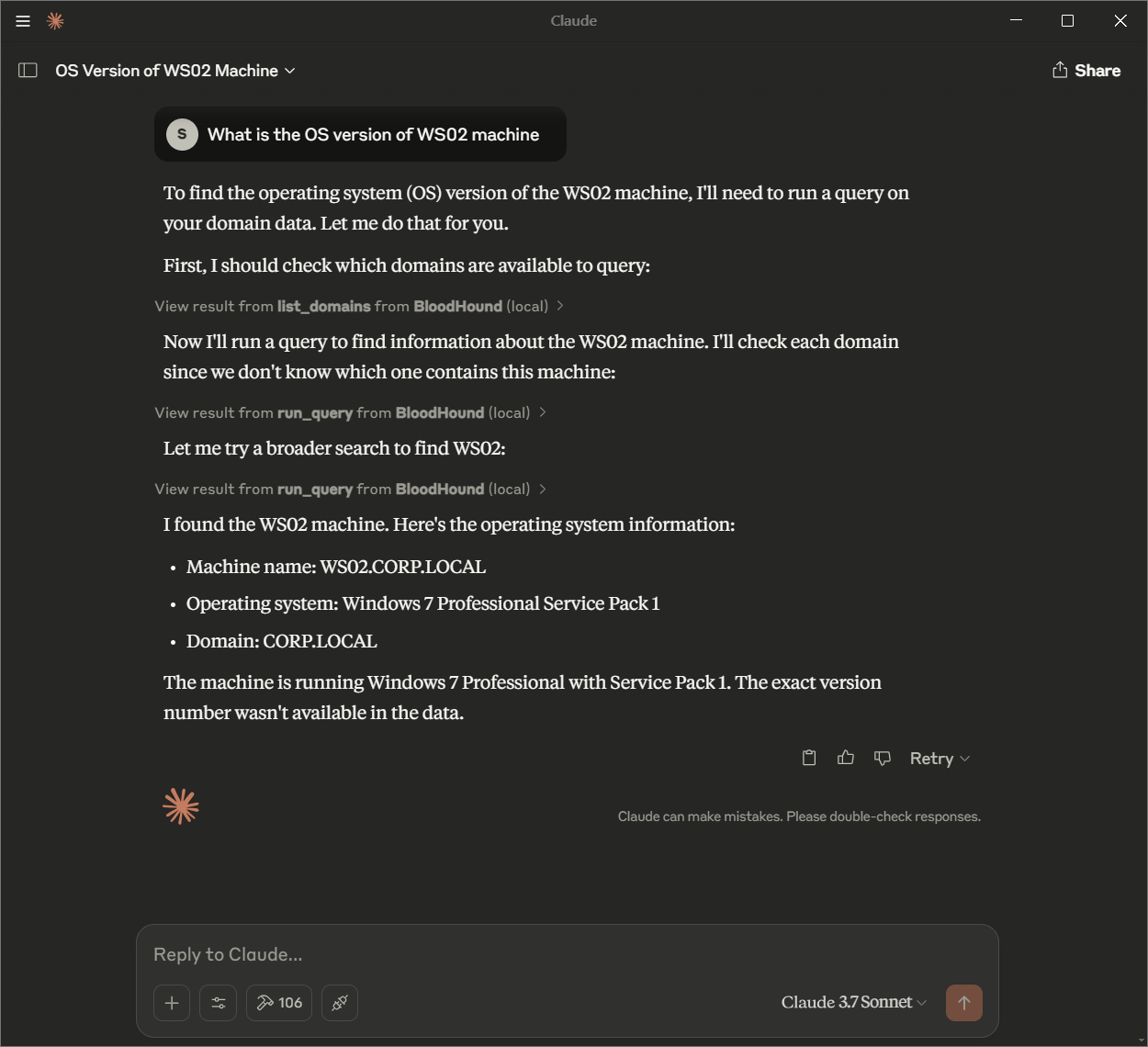
BloodHound MCP (Model Context Protocol) is an innovative extension of the BloodHound tool, designed to enable Large Language Models (LLMs) to interact with and analyze Active Directory (AD) and Azure Active Directory (AAD) environments through natural language queries. By leveraging the power of LLMs, BloodHound MCP allows users to perform complex queries and retrieve insights from their AD/AAD environments using simple, conversational commands.
BloodHound MCP
BloodHound MCP (Model Context Protocol) is an innovative extension of the BloodHound tool, designed to enable Large Language Models (LLMs) to interact with and analyze Active Directory (AD) and Azure Active Directory (AAD) environments through natural language queries. By leveraging the power of LLMs, BloodHound MCP allows users to perform complex queries and retrieve insights from their AD/AAD environments using simple, conversational commands.
Features
- Natural Language Queries: Use conversational language to query your AD/AAD environment without needing to write Cypher queries manually.
- LLM-Powered Analysis: Harness the capabilities of Large Language Models to interpret and execute queries on your behalf.
- Seamless Integration: Works with existing BloodHound data stored in Neo4j, providing a user-friendly interface for complex analysis.
- Customizable: Easily configure the system to work with your specific environment and tools.
Configure the MCP Server
{
  "mcpServers": {
    "BloodHound": {
      "name": "BloodHound",
      "isActive": true,
      "command": "uv",
      "args": [
        "run",
        "--with",
        "mcp[cli],neo4j",
        "mcp",
        "run",
        "<PATH_TO_THE_PROJECT>server.py"
      ],
      "env": {
        "BLOODHOUND_URI": "bolt://localhost:7687",
        "BLOODHOUND_USERNAME": "neo4j",
        "BLOODHOUND_PASSWORD": "bloodhound"
      }
    }
  }
}
Usage
Configuration
To customize BloodHound MCP, update the configuration file in your MCP-supported tool. Key settings include:
- Neo4j Database Connection:
BLOODHOUND_URI: The URI of your Neo4j database (e.g., bolt://localhost:7687).BLOODHOUND_USERNAME: Your Neo4j username.BLOODHOUND_PASSWORD: Your Neo4j password.
- Server Settings: Adjust the command and args to match your environment and tool requirements.
Contributing
We welcome contributions to BloodHound MCP! To get involved:
- Fork the Repository: Create your own copy on GitHub.
- Create a Branch: Work on your feature or fix in a new branch.
- Submit a Pull Request: Include a clear description of your changes.
Special Thanks
Custom queries from : https://github.com/CompassSecurity/BloodHoundQueries

Recommend MCP Servers 💡

@gotohuman/mcp-server
gotoHuman is an MCP server that facilitates adding human approvals to AI agents and agentic workflows, providing a fully-managed async human-in-the-loop workflow with a customizable approval UI.


Demontie/mcp-google-sheets
A Model Context Protocol (MCP) server for reading and writing data to Google Sheets via the Google Sheets API.


mcp-openweathermap
An MCP server that provides current weather information using the OpenWeatherMap API.

DLHellMe/telegram-mcp-server
An MCP server enabling Claude to interact with Telegram channels and groups through both API access and web scraping.

project-mem-mcp
An MCP server for AI agents to store and retrieve project information persistently via a memory file.

docker-hub
A Model Context Protocol (MCP) server interfacing with Docker Hub APIs to enable LLMs for intelligent content discovery and repository management.