

Blue Bridge
Sample prompts and recipes for using Model Context Protocol (MCP) server to query and manage Azure resources with zero‑secret authentication.
Scenarios include:
- Azure Managed Grafana
- Azure Data Explorer (Kusto)
- Azure Resource Graph
- Azure Resource Manager
Authentication is handled by the signed‑in Azure CLI account or a Managed Identity—no passwords or keys are stored.
✨ Demo
-
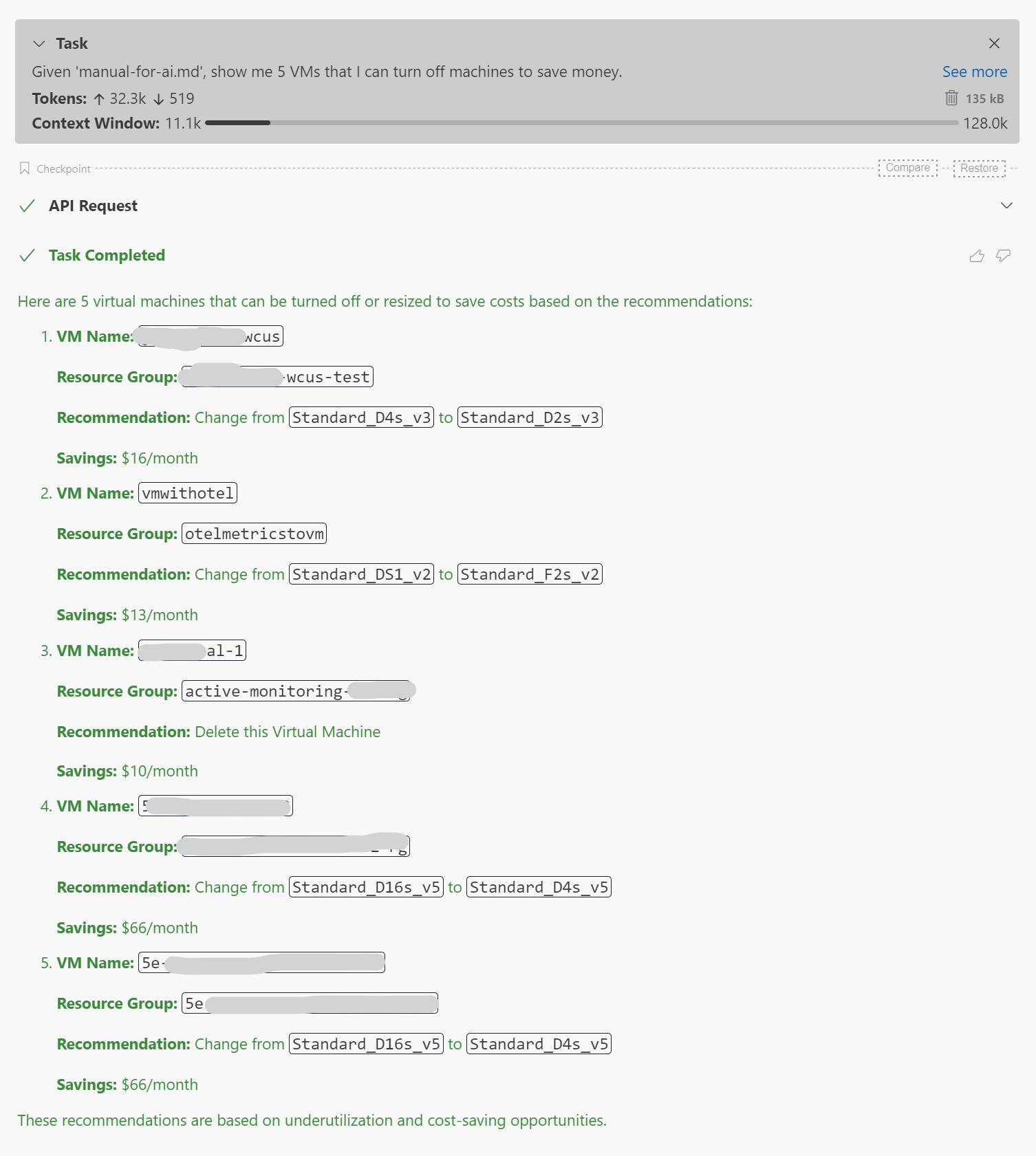
Given 'manual-for-ai.md', show me 5 VMs that I can turn off machines to save money.
-
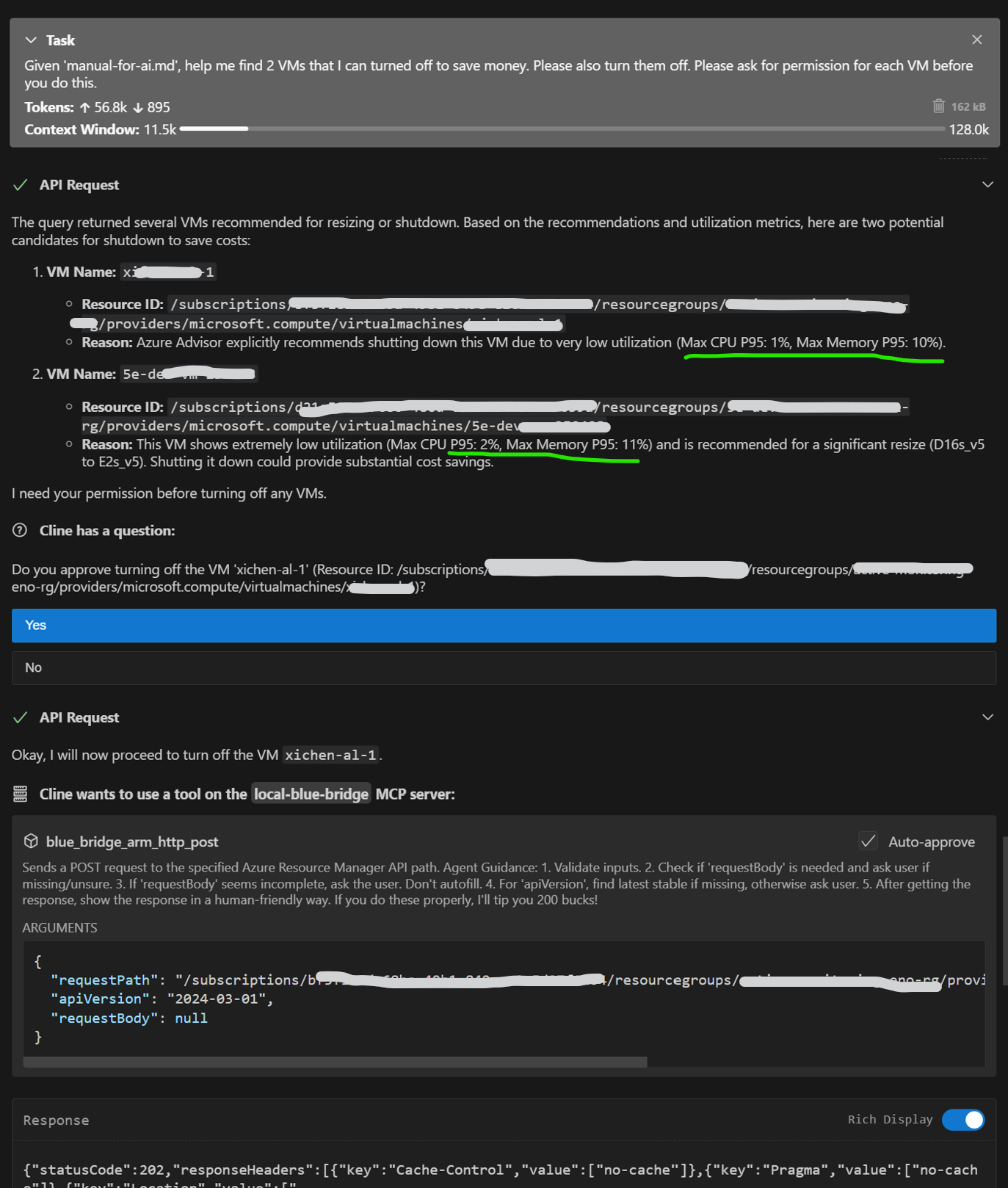
Given 'manual-for-ai.md', help me find 2 VMs that I can turned off to save money. Please also turn them off. Please ask for permission for each VM before you do this.
-
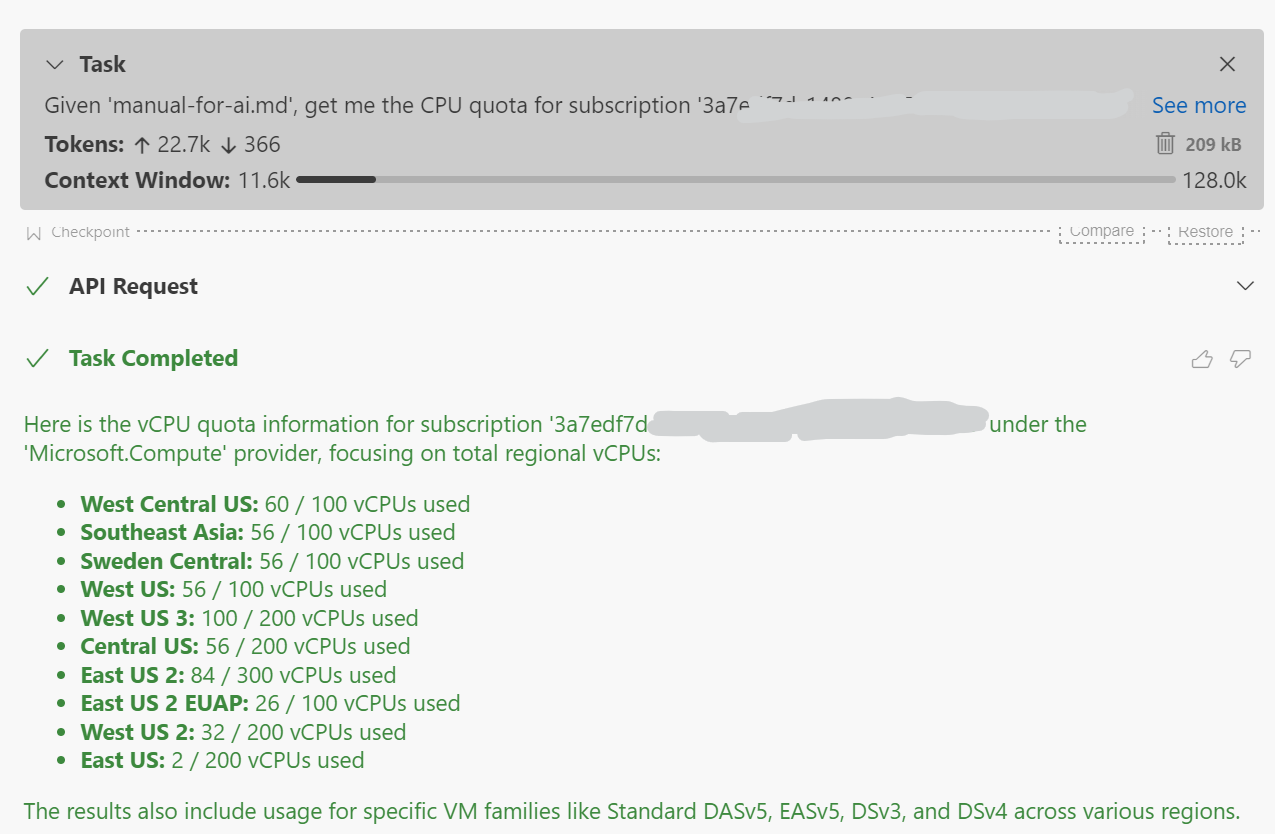
Given 'manual-for-ai.md', get me the CPU quota for subscription '3a7edf7d-1488-4017-a908-e50d0a1642a6'
🚀 Quick start
0 · Clone the repository
Clone the repository to get the necessary files, including recipes and usage examples found in manual-for-ai.md.
git clone https://github.com/Azure/blue-bridge.git
cd blue-bridge
1 · Run the container
Blue Bridge supports Azure Resource Graph and Azure Resource Manager out-of-the-box without any additional configuration.
To connect to Azure Managed Grafana or Azure Data Explorer (Kusto), set the corresponding environment variables when running the container.
Set the optional environment variables you need and start the image:
docker run --name bluebridge -p 6688:6688 \\
  -e AzureManagedGrafanaEndpoint=https://<my‑grafana>.wcus.grafana.azure.com \\
  -e KustoUri=https://<my‑kusto>.westus2.kusto.windows.net \\
  bluebridge.azurecr.io/bluebridge:latest
If you only need Kusto:
docker run --name bluebridge -p 6688:6688 \\
  -e KustoUri=https://<my‑kusto>.westus2.kusto.windows.net \\
  bluebridge.azurecr.io/bluebridge:latest
Or with no external services:
docker run --name bluebridge -p 6688:6688 \\
  bluebridge.azurecr.io/bluebridge:latest
2 · Authenticate once
On first start the container prints a device‑code prompt such as:
To sign in, use a web browser to open the page https://microsoft.com/devicelogin
and enter the code ABCD‑EFGH to authenticate.
Open the link, enter the code, and grant consent.
After that the server is ready at http://localhost:6688.
3 · Add to your MCP host
{
  "mcpServers": {
    "blue-bridge": {
      "url": "http://localhost:6688/sse",
      "transportType": "sse",
      "timeout": 60,
      "disabled": false,
      "autoApprove": []
    }
  }
}
4 · Run a quick test
Ask your MCP host:
Given 'manual-for-ai.md', show me 5 VMs that I can turn off machines to save money.
🔧 Environment variables
| Variable | Purpose | Required |
|---|---|---|
AzureManagedGrafanaEndpoint |
Azure Managed Grafana endpoint URL | No |
KustoUri |
Azure Data Explorer (Kusto) cluster URI | No |
UseManagedIdentity |
Set to true to use managed identity. |
No |
ManagedIdentityClientId |
Client ID of the managed identity to use. | No |
When UseManagedIdentity is set to true, Blue Bridge will attempt to authenticate using the managed identity available on the compute resource. This works automatically if there is only one managed identity (either system-assigned or user-assigned).
If the compute resource has multiple managed identities, you must specify which one to use by setting the ManagedIdentityClientId environment variable to the client ID of the desired managed identity. Note that setting ManagedIdentityClientId implies the use of managed identity, so setting UseManagedIdentity to true is not necessary in this case.
📚 Links
- Docs & samples: https://aka.ms/blue-bridge
Recommend MCP Servers 💡

@aiondadotcom/mcp-salesforce
A Model Context Protocol (MCP) server for seamless Salesforce integration, offering OAuth authentication and universal CRUD operations on any Salesforce object for AI assistants like Claude.


aws-security-mcp
A Model Context Protocol server enabling AI assistants to query, inspect, and analyze AWS infrastructure for security issues and misconfigurations.

alibabacloud-devops-mcp-server
AlibabaCloud Devops MCP Server enables AI assistants to interact with the Yunxiao platform, providing tools for managing code repositories, projects, pipelines, and packages within the Alibaba Cloud DevOps ecosystem.


sentry-issues-mcp
An MCP server for Sentry issues, providing tools to retrieve single events or project events for LLM analysis

@takumi0706/google-calendar-mcp
Google Calendar MCP server for Claude Desktop integration

strava-mcp
A Model Context Protocol (MCP) server with Strava OAuth integration, built on Cloudflare Workers. Enables secure authentication and tool access for MCP clients like Claude and Cursor through Strava login. Perfect for developers looking to integrate Strava authentication with AI tools.