

Eagle MCP Server (Unofficial)
[!NOTE] Official MCP support is planned for Eagle v5 (public beta in Q1 2026)
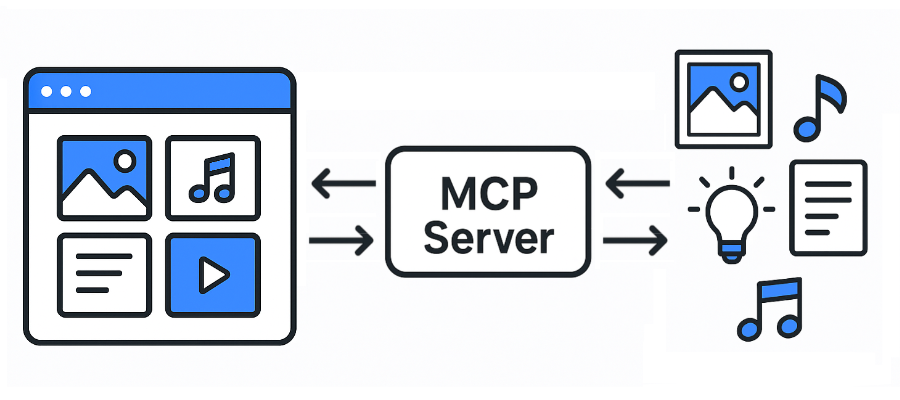
A Model Context Protocol (MCP) server for Eagle.
Supported file formats:
JPG/JPEGPNGPDFSVGMP4MP3FBXOBJEPSTIF/TIFFWebPBMPICORAW- etc
- Eagle: https://eagle.cool/
- Eagle API docs: https://api.eagle.cool/
Requirements
- Python 3.13
- uv
Prerequisites
Install the required dependencies:
uv sync
Usage
- Launch the Eagle app.
- Launch this MCP server by running the following command:
uv run main.py
Connecting to the MCP Server using Streamable HTTP
MCP config:
{
  "mcpServers": {
    "eagle-mcp-server": {
      "url": "http://localhost:8000/mcp"
    }
  }
}
If you need stdio transport instead:
{
  "mcpServers": {
    "eagle-mcp-server": {
      "command": "uvx",
      "args": [
        "--from", "git+https://github.com/tuki0918/eagle-mcp-server@fastmcp-stdio",
        "eagle-mcp-server"
      ]
    }
  }
}
See #17 for more details.
Tools
| Supported | Eagle API endpoint | Operation ID | Enabled (default) | Category |
|---|---|---|---|---|
| ✅ | - | connect |
MCP | |
| ✅ | /api/application/info | get_application_info |
⚫︎ | Application |
| ✅ | /api/folder/create | create_folder |
⚫︎ | Folder |
| ✅ | /api/folder/rename | rename_folder |
Folder | |
| ✅ | /api/folder/update | update_folder |
⚫︎ | Folder |
| ✅ | /api/folder/list | get_folder_list |
⚫︎ | Folder |
| ✅ | /api/folder/listRecent | get_folder_list_recent |
Folder | |
| ✅ | /api/item/addFromURL | add_item_from_url |
Item | |
| ✅ | /api/item/addFromURLs | add_items_from_urls |
Item | |
| ✅ | /api/item/addFromPath | add_item_from_path |
⚫︎ | Item |
| ✅ | /api/item/addFromPaths | add_items_from_paths |
Item | |
| ✅ | /api/item/addBookmark | add_bookmark |
Item | |
| ✅ | /api/item/info | get_item_info |
⚫︎ | Item |
| ✅ | - | get_item_source |
⚫︎ | Item |
| ✅ | /api/item/thumbnail | get_item_thumbnail |
Item | |
| ✅ | /api/item/list | get_item_list |
⚫︎ | Item |
| ✅ | /api/item/moveToTrash | move_item_to_trash |
⚫︎ | Item |
| ✅ | /api/item/refreshPalette | refresh_item_palette |
Item | |
| ✅ | /api/item/refreshThumbnail | refresh_item_thumbnail |
Item | |
| ✅ | /api/item/update | update_item |
⚫︎ | Item |
| ✅ | /api/library/info | get_library_info |
⚫︎ | Library |
| ✅ | /api/library/history | get_library_history |
Library | |
| ✅ | /api/library/switch | switch_library |
Library | |
| ✅ | /api/library/icon | get_library_icon |
Library |
MCP Server API docs:
- https://tuki0918.github.io/eagle-mcp-server/
- http://localhost:8000/redoc
Enabling Disabled Tools
Some tools are disabled by default (shown as empty cells in the "Enabled (default)" column above). To enable these disabled tools:
- Locate the tool definition in the source code
- Remove the
tags=["Disabled"]line from the tool configuration - Restart the MCP server
This will make the previously disabled tools available for use.
Use Cases
1) Same Host (Recommended)
flowchart LR

    subgraph 192.168.1.100
        direction LR

        subgraph FileSystem [File System]
        end
        subgraph EagleApp [Eagle App<br/>localhost:41595]
        end
        subgraph MCPServer [MCP Server<br/>localhost:8000]
        end
        subgraph MCPClient [MCP Client]
        end
    end

    EagleApp ==> MCPServer e1@==> MCPClient
    MCPClient e2@==> MCPServer ==> EagleApp
    EagleApp ==> FileSystem
    FileSystem ==> EagleApp

    e1@{ animate: true }
    e2@{ animate: true }
[!TIP] You have direct access to the filesystem.
2) Other Host (MCP Client) + Same Host (MCP Server, Eagle App)
flowchart LR

    subgraph 192.168.1.100
        subgraph FileSystem [File System]
        end
        subgraph EagleApp [Eagle App<br/>localhost:41595]
        end
        subgraph MCPServer [MCP Server<br/>localhost:8000]
        end
    end

    subgraph 192.168.1.xxx
        subgraph MCPClient [MCP Client]
        end
    end

    EagleApp ==> MCPServer e1@==> MCPClient
    MCPClient e2@==> MCPServer ==> EagleApp
    EagleApp ==> FileSystem
    FileSystem ==> EagleApp

    e1@{ animate: true }
    e2@{ animate: true }
[!WARNING] You don't have access to the filesystem.
3) Other Host
flowchart LR

    subgraph 192.168.1.100
        subgraph FileSystem [File System]
        end
        subgraph EagleApp [Eagle App<br/>localhost:41595]
        end
    end

    subgraph 192.168.1.101
        subgraph MCPServer [MCP Server<br/>localhost:8000]
        end
    end

    subgraph 192.168.1.xxx
        subgraph MCPClient [MCP Client]
        end
    end

    EagleApp ==> MCPServer e1@==> MCPClient
    MCPClient e2@==> MCPServer ==> EagleApp
    EagleApp ==> FileSystem
    FileSystem ==> EagleApp

    e1@{ animate: true }
    e2@{ animate: true }
[!WARNING] You don't have access to the filesystem.
Recommend MCP Servers 💡

mcp-telegram
A powerful MCP server implementation built with FastMCP that provides Telegram functionality through a clean API interface, including message search, sending, and chat management capabilities.


rill
The Rill Model Context Protocol (MCP) server exposes Rill's most essential APIs to LLMs, designed primarily for data analysts to consume Rill metrics views for accurate and consistent analytics.

mindmap-mcp-server
mindmap, mcp server, artifact

@modelcontextprotocol/server-everything
A test MCP server that exercises all the features of the MCP protocol, including prompts, tools, resources, and sampling.


@yeonupark/mcp-soccer-data
An MCP server that provides real-time football data based on the SoccerDataAPI

winston-ai-mcp
An MCP server for Winston AI, providing advanced AI text and image detection, plagiarism checking, and text comparison functionalities.
