

Kibana MCP Server
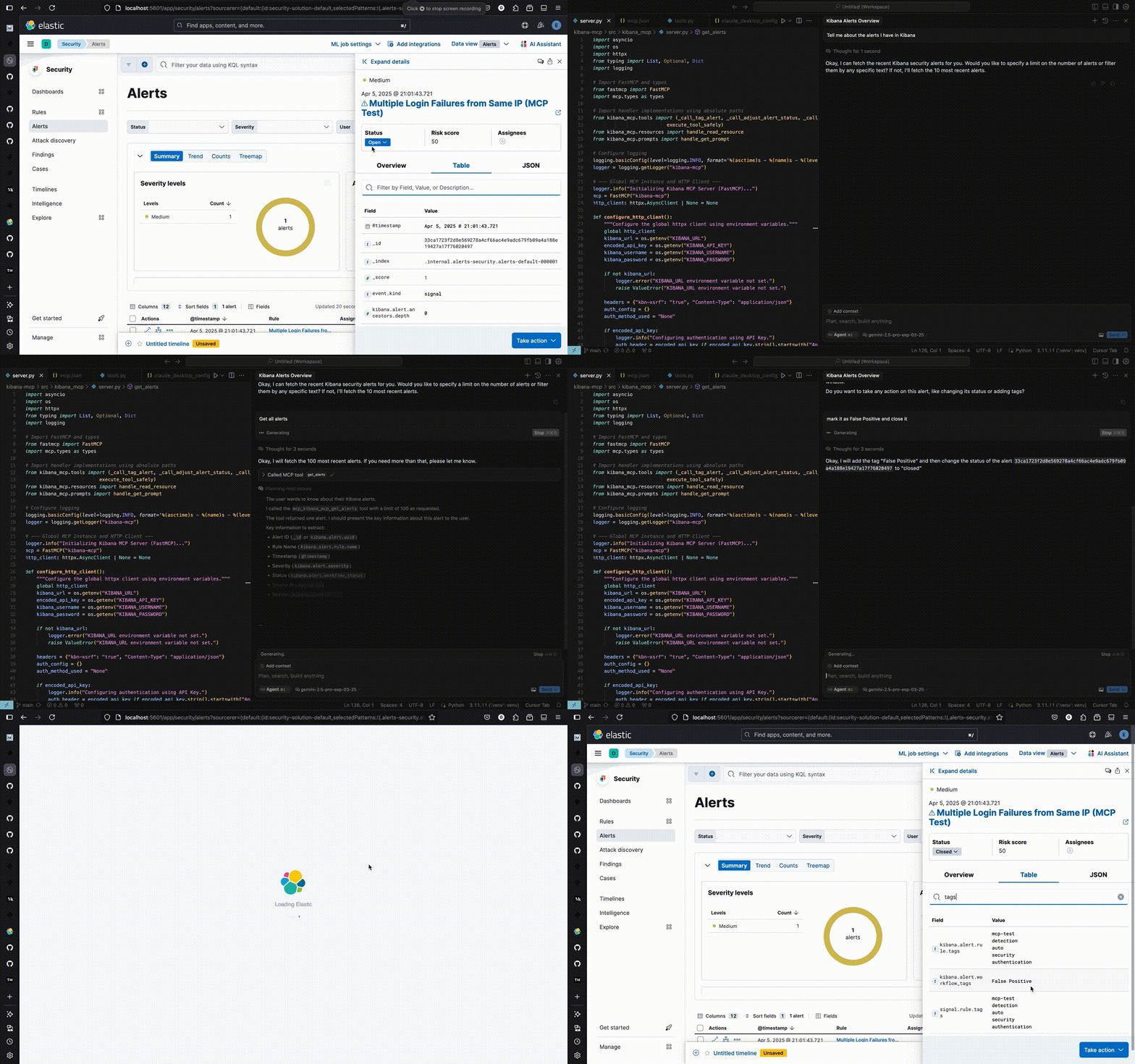
Model Context Protocol (MCP) server for Kibana Security - manage alerts, rules, and exceptions via AI assistants.
Quick Start
1. Clone and Build
git clone https://github.com/ggilligan12/kibana-mcp.git
cd kibana-mcp
docker build -t kibana-mcp .
2. Configure MCP Client
Add to your MCP client config (Claude Desktop, Cursor, etc.):
Option A: Using Environment Variables (Recommended)
First, set your credentials:
export KIBANA_URL="https://your-kibana.example.com:5601"

# Option 1: API Key (recommended)
export KIBANA_API_KEY="your_base64_api_key"

# Option 2: Username/Password
# export KIBANA_USERNAME="your_username"
# export KIBANA_PASSWORD="your_password"
Then add to your MCP config:
{
  "mcpServers": {
    "kibana-mcp": {
      "command": "docker",
      "args": ["run", "-i", "--rm", "--network", "host", "-e", "KIBANA_URL", "-e", "KIBANA_API_KEY", "kibana-mcp"]
    }
  }
}
For username/password, use:
{
  "mcpServers": {
    "kibana-mcp": {
      "command": "docker",
      "args": ["run", "-i", "--rm", "--network", "host", "-e", "KIBANA_URL", "-e", "KIBANA_USERNAME", "-e", "KIBANA_PASSWORD", "kibana-mcp"]
    }
  }
}
Option B: Direct Credentials (Easier for Claude Desktop)
Using API Key:
{
  "mcpServers": {
    "kibana-mcp": {
      "command": "docker",
      "args": [
        "run", "-i", "--rm", "--network", "host",
        "-e", "KIBANA_URL=https://your-kibana.example.com:5601",
        "-e", "KIBANA_API_KEY=your_base64_api_key",
        "kibana-mcp"
      ]
    }
  }
}
Using Username/Password:
{
  "mcpServers": {
    "kibana-mcp": {
      "command": "docker",
      "args": [
        "run", "-i", "--rm", "--network", "host",
        "-e", "KIBANA_URL=https://your-kibana.example.com:5601",
        "-e", "KIBANA_USERNAME=your_username",
        "-e", "KIBANA_PASSWORD=your_password",
        "kibana-mcp"
      ]
    }
  }
}
Note: Option B is less secure but more convenient for tools like Claude Desktop where environment variables are harder to manage.
Available Tools
get_alerts- Fetch security alertstag_alert- Add tags to alertsadjust_alert_status- Change alert status (open/acknowledged/closed)find_rules- Search detection rulesget_rule_exceptions- Get rule exception itemsadd_rule_exception_items- Add exceptions to rulescreate_exception_list- Create new exception listsassociate_shared_exception_list- Link exception lists to rules
Local Development
# Install dependencies
uv sync

# Set environment variables (see above)

# Run locally
uv run kibana-mcp
Test Environment
# Start local Kibana/Elasticsearch with test data
pip install -r testing/requirements-dev.txt
./testing/quickstart-test-env.sh

# Access at http://localhost:5601 (elastic/elastic)
Recommend MCP Servers 💡

mcp-search-console
A Model Context Protocol (MCP) server for managing Google Search Console properties, sitemaps, and search analytics via its API


mcp-server-port
Port's MCP Server enables advanced automations and natural language interactions for developers and AI applications by providing access to Port.io's internal developer portal capabilities, including managing blueprints, entities, scorecards, and invoking AI agents.


alltrails-mcp
A Model Context Protocol (MCP) server that provides access to AllTrails data, allowing you to search for hiking trails and get detailed trail information directly through Claude Desktop.

@modelcontextprotocol/server-filesystem
A Node.js server implementing the Model Context Protocol (MCP) to enable AI models to perform various filesystem operations, including reading, writing, creating, listing, moving, searching files and directories, and retrieving file metadata, with dynamic access control via MCP Roots.

@tailor-platform/tailor-mcp
The tailorctl command-line utility, with a focus on MCP (Model Context Protocol) server functionality.


@AbdelStark/nostr-mcp
A Nostr MCP server that allows to interact with Nostr, enabling posting notes, and more.