

MCP MongoDB Server




A Model Context Protocol server that enables LLMs to interact with MongoDB databases. This server provides capabilities for inspecting collection schemas and executing MongoDB operations through a standardized interface.
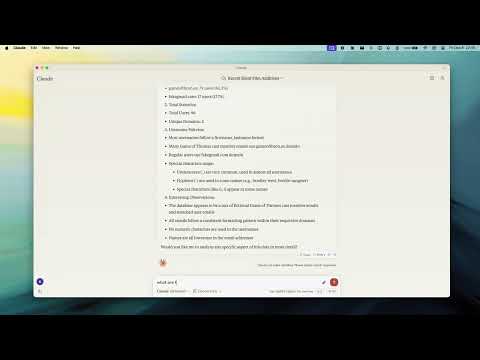
Demo
Key Features
- Smart ObjectId Handling - Configurable auto/none/force modes for string-to-ObjectId conversion
- Read-Only Mode - Protection against write operations, uses secondary read preference
- Schema Inference - Automatic collection schema detection from document samples
- Query & Aggregation - Full MongoDB query and aggregation pipeline support with optional explain plans
- Write Operations - Insert, update, and index creation (when not in read-only mode)
- Collection Completions - Auto-complete collection names for LLM integration
Installation
npx -y mcp-mongo-server mongodb://localhost:27017/database
Usage
# Start server with MongoDB URI
npx -y mcp-mongo-server mongodb://muhammed:kilic@localhost:27017/database

# Connect in read-only mode
npx -y mcp-mongo-server mongodb://muhammed:kilic@localhost:27017/database --read-only
Environment Variables
| Variable | Description |
|---|---|
MCP_MONGODB_URI |
MongoDB connection URI |
MCP_MONGODB_READONLY |
Enable read-only mode ("true") |
Documentation
- Integration Guide - Claude Desktop, Windsurf, Cursor, Docker
- Available Tools - Query, aggregate, update, insert, and more
- Development - Setup, scripts, and debugging
- Contributing
License
MIT - see LICENSE for details.


Recommend MCP Servers 💡

chroma-mcp
A Model Context Protocol (MCP) server implementation that provides database capabilities for Chroma


mariadb-mcp-server
The MCP MariaDB Server provides a Model Context Protocol (MCP) interface for managing and querying MariaDB databases, supporting both standard SQL operations and advanced vector/embedding-based search. Designed for use with AI assistants, it enables seamless integration of AI-driven data workflows with relational and vector databases.

fireproof
A Model Context Protocol server that provides a JSON document store with CRUD operations using a Fireproof database for LLM tool use.


db-mcp-server
A powerful multi-database server implementing the Model Context Protocol (MCP) to provide AI assistants with structured access to databases.


redis/mcp-redis
A natural language interface for AI agents to efficiently manage and search data in Redis, supporting various Redis data structures and integrating seamlessly with MCP clients.

@niledatabase/nile-mcp-server
MCP server for Nile Database - Manage and query databases, tenants, users, auth using LLMs