

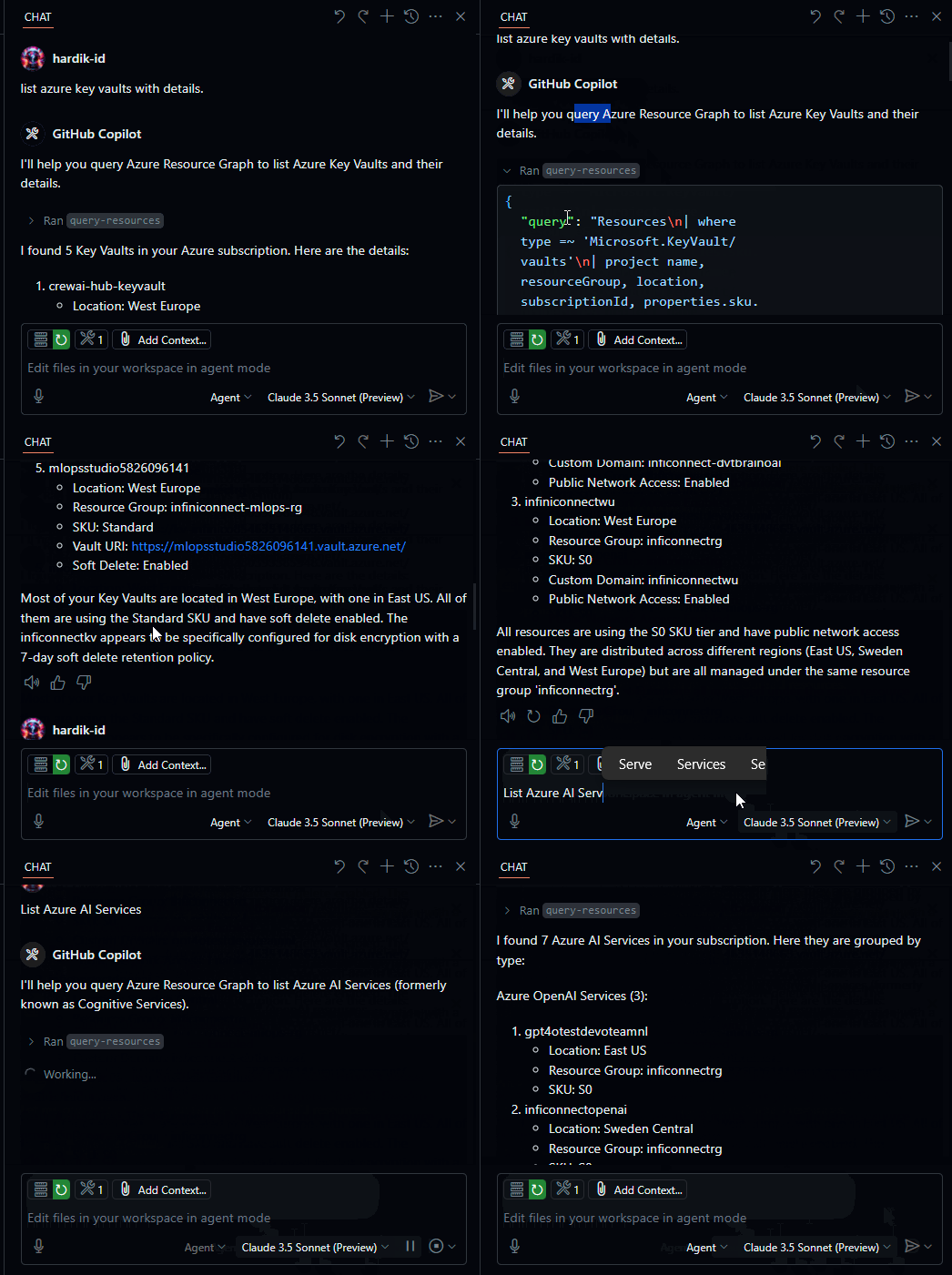
Demo
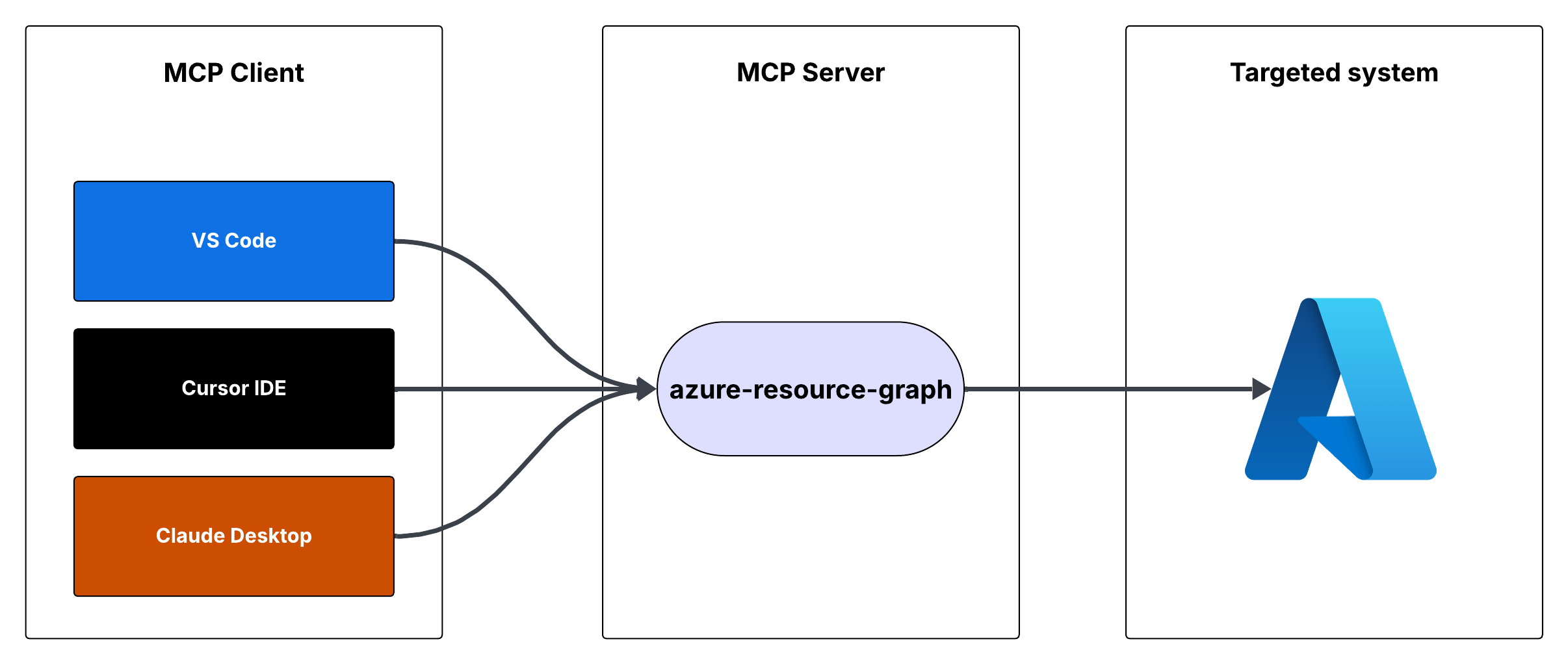
Flow
Azure Resource Graph MCP Server
This is a Model Context Protocol (MCP) server that provides access to Azure Resource Graph queries. It allows you to retrieve information about Azure resources across your subscriptions using Resource Graph queries.
Features
- Query Azure resources using Resource Graph queries
- Default query returns resource ID, name, type, and location
- Supports custom Resource Graph queries
- Uses Azure DefaultAzureCredential for authentication
Prerequisites
- Node.js installed
- Azure subscription
- Azure CLI installed and logged in, or other Azure credentials configured
Running the MCP Server
You can run the MCP server using either Cursor IDE or Visual Studio Code.
Option 1: Cursor IDE Integration
To integrate the MCP server with Cursor IDE:
- Clone this repository to your local machine (e.g.,
C:\\YOUR_WORKSPACE\\azure-resource-graph-mcp-server) - Build the project:
npm install
npm run build
- Open Cursor Settings (JSON) and add the following configuration:
{
  "mcpServers": {
    "azure-resource-graph-mcp-server": {
      "command": "node",
      "args": [
        "C:\\\\YOUR_WORKSPACE\\\\azure-resource-graph-mcp-server\\\\build\\\\index.js"
      ],
      "env": {
        "SUBSCRIPTION_ID": "xxxxxx-xx-xx-xx-xxxxxx"
      },
    }
  }
}
Note: Make sure to update the path to match your local repository location.
- Restart Cursor IDE to apply the changes
Option 2: VS Code Integration
To integrate the MCP server with Visual Studio Code:
- Clone this repository to your local machine
- Build the project:
npm install
npm run build
- Open VS Code Settings (JSON) by pressing
Ctrl+Shift+P, type "Settings (JSON)" and select "Preferences: Open User Settings (JSON)" - Add the following configuration:
{
    "mcp": {
        "servers": {
            "azure-resource-graph": {
                "type": "stdio",
                "command": "node",
                "args": [
                    "C:\\\\YOUR_WORKSPACE\\\\azure-resource-graph-mcp-server\\\\build\\\\index.js"
                ],
                "env": {
                  "SUBSCRIPTION_ID": "xxxxxx-xx-xx-xx-xxxxxx"
                },
            }
        }
    }
}
Note: Make sure to update the path to match your local repository location.
- Save the settings.json file
- Restart VS Code to apply the changes
The MCP server will now be available to use within VS Code with cursor integration.
Usage
The server provides the following tool:
query-resources
Retrieves resources and their details from Azure Resource Graph.
Parameters:
subscriptionId(optional): Azure subscription ID (defaults to configured ID)query(optional): Custom Resource Graph query (defaults to "Resources | project id, name, type, location")
Environment Setup
-
First, make sure you're logged in to Azure CLI by running:
az loginThis step is crucial for local development as the DefaultAzureCredential will automatically use your Azure CLI credentials.
-
Set up your environment variables:
- Copy
.env.exampleto.env - Update
AZURE_SUBSCRIPTION_IDin.envwith your actual subscription ID - Other variables (
AZURE_TENANT_ID,AZURE_CLIENT_ID,AZURE_CLIENT_SECRET) are optional when using Azure CLI authentication
- Copy
-
Make sure you have proper Azure credentials configured. The server uses DefaultAzureCredential which supports:
- Azure CLI
- Managed Identity
- Visual Studio Code credentials
- Environment variables
-
If using environment variables, set up:
- AZURE_SUBSCRIPTION_ID
- AZURE_TENANT_ID
- AZURE_CLIENT_ID
- AZURE_CLIENT_SECRET
Error Handling
The server includes robust error handling for:
- Azure client initialization failures
- Query execution errors
- Invalid queries or parameters
Development
To work on this project:
- Make changes in the
srcdirectory - Build using
npm run build - Test your changes by running the server
License
This project is licensed under the MIT License. See the LICENSE file for details.

Recommend MCP Servers 💡

mcp-salesforce-connector
MCP server for Salesforce integration, enabling LLMs to interact with Salesforce data via SOQL and SOSL


harness-mcp-server
A Model Context Protocol (MCP) server that integrates with Harness APIs to provide automation and interaction capabilities for pipelines, pull requests, repositories, and logs.


kubernetes-mcp-server
Model Context Protocol (MCP) server for Kubernetes and OpenShift

mcp-nutanix
MCP Server for Nutanix
@mulesoft/mcp-server
A Model Context Protocol (MCP) implementation by MuleSoft that enables large language models (LLMs) to interact with the MuleSoft Anypoint Platform for tasks like application deployment, API management, asset search, and platform insights.


mcp-server-hcp-terraform
MCP server integrating with HCP Terraform Cloud/Enterprise API to access module search and details