

MCP Yahoo Finance
A Model Context Protocol (MCP) server for Yahoo Finance interaction. This server provides tools to get pricing, company information, and generate financial visualizations.
This project is a fork and extension of maxscheijen/mcp-yahoo-finance, with added visualization capabilities.
Features
- Financial Data: Get current stock prices, historical prices, dividends, income statements, and more
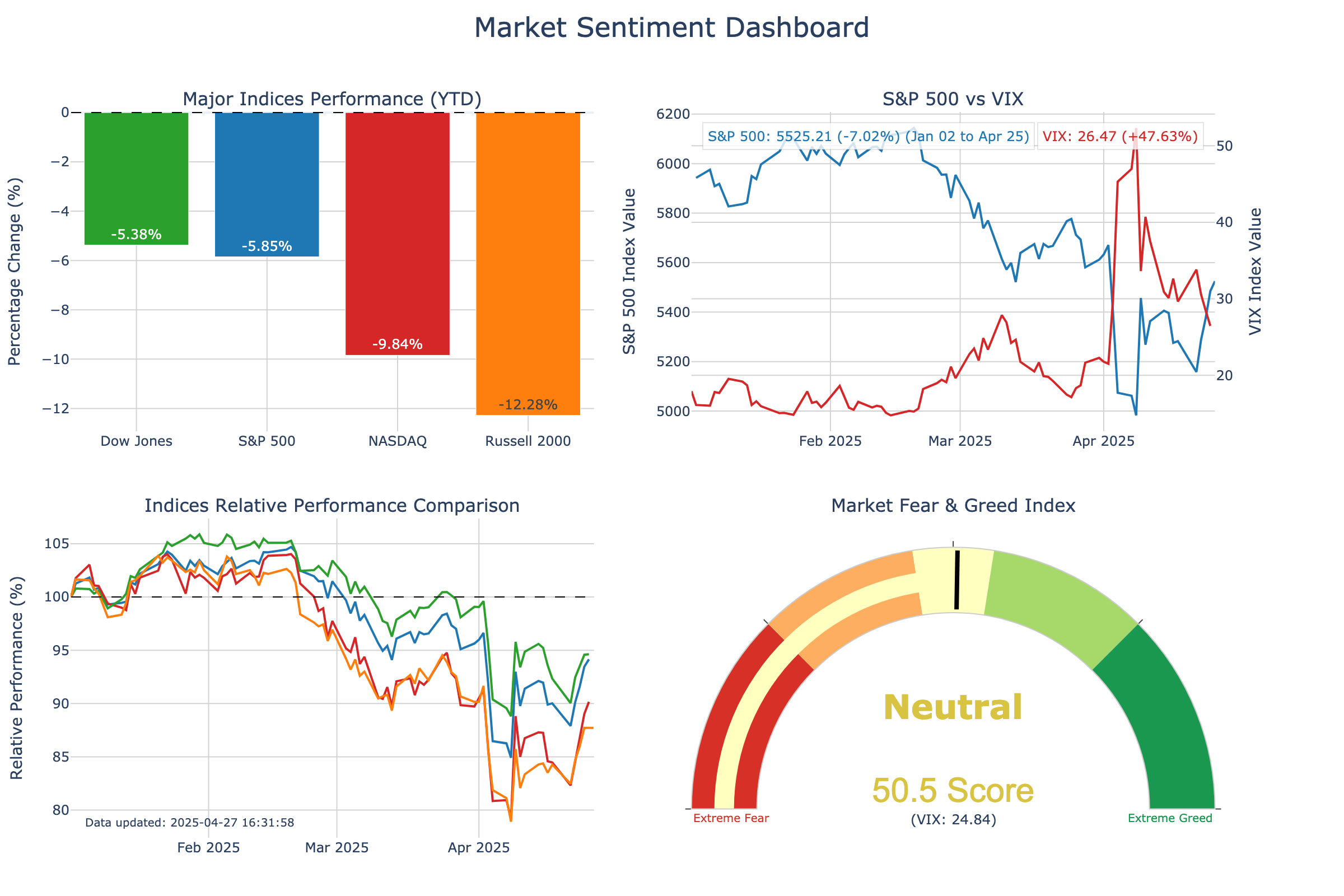
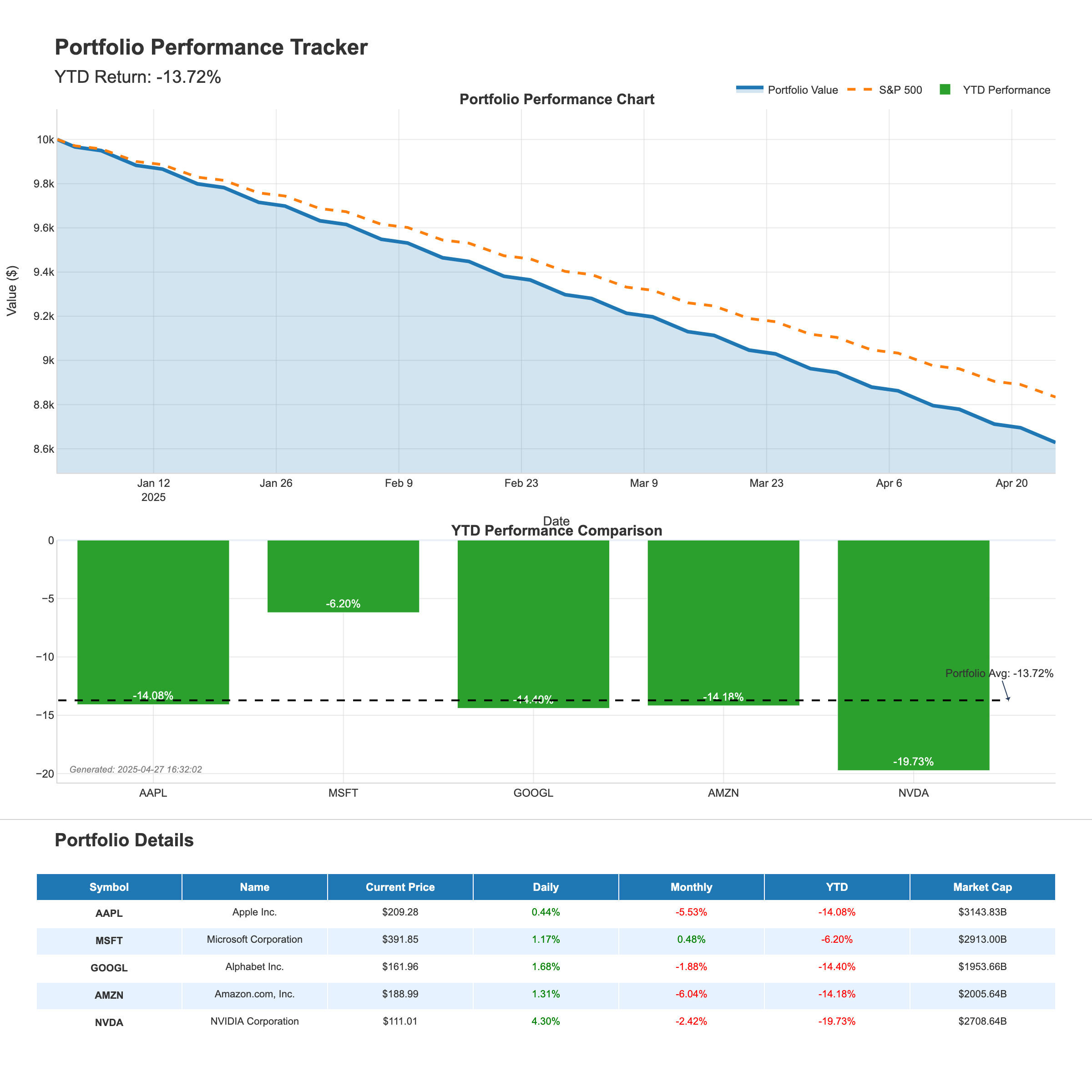
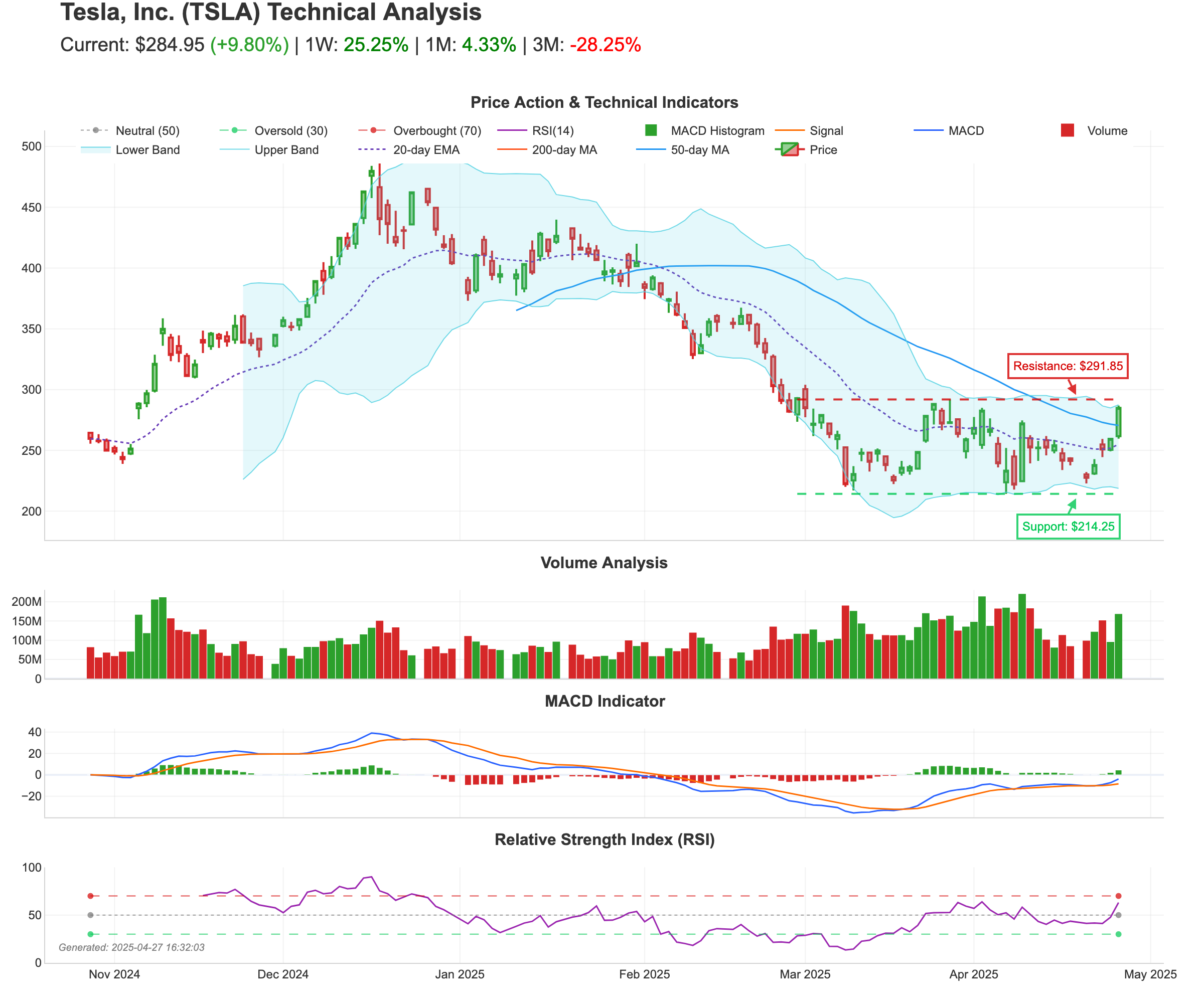
- Visual Analytics: Generate beautiful visualizations for market sentiment, portfolio tracking, and technical analysis
- Easy Integration: Works with Claude Desktop, VS Code, Cursor, and other MCP clients
Setup Instructions
1. Clone the Repository
Clone this repository to your local machine:
git clone https://github.com/leoncuhk/mcp-yahoo-finance.git
cd mcp-yahoo-finance
2. Install Dependencies
Install the required dependencies using pip:
pip install -r requirements.txt
If the requirements.txt file is missing, you can install dependencies directly:
pip install mcp yfinance pandas matplotlib seaborn plotly kaleido numpy pillow base64io
3. Configure MCP Client
Claude Desktop
Add this to your claude_desktop_config.json (create it if it doesn't exist):
- macOS/Linux:
~/Library/Application Support/Claude/claude_desktop_config.json - Windows:
%APPDATA%\\Claude\\claude_desktop_config.json
{
    "mcpServers": {
        "yahoo-finance": {
            "command": "uvx",
            "args": ["mcp-yahoo-finance"]
        }
    }
}
You can also use docker:
{
    "mcpServers": {
        "yahoo-finance": {
            "command": "docker",
            "args": ["run", "-i", "--rm", "IMAGE"]
        }
    }
}
VSCode
Add this to your .vscode/mcp.json:
{
    "servers": {
        "yahoo-finance": {
            "command": "uvx",
            "args": ["mcp-yahoo-finance"]
        }
    }
}
Cursor
Add this to your Cursor MCP configuration:
{
    "mcp-servers": {
        "yahoo-finance": {
            "command": "uvx",
            "args": ["mcp-yahoo-finance"]
        }
    }
}
4. Restart your MCP client
After configuring, restart Claude Desktop or your preferred MCP client to load the server.
Available Tools
Basic Financial Data
- get_current_stock_price: Get the current stock price for a symbol
- get_stock_price_by_date: Get the stock price for a specific date
- get_stock_price_date_range: Get stock prices for a date range
- get_historical_stock_prices: Get historical stock data with customizable periods
- get_dividends: Get dividend information for a stock
- get_income_statement: Get income statement data
- get_cashflow: Get cashflow statement data
- get_earning_dates: Get earning dates information
- get_news: Get recent news for a stock
Visualization Tools
- generate_market_dashboard: Create a market sentiment dashboard with real-time index performance
- generate_portfolio_report: Generate a portfolio performance tracking report
- generate_stock_technical_analysis: Create a technical analysis report for a stock
Visualization Examples
Market Sentiment Dashboard
Portfolio Tracking
Stock Technical Analysis
Example Prompts
Here are some example prompts to try with Claude:
Basic Financial Data
- "What is the current stock price of Apple?"
- "What is the difference in stock price between Apple and Google?"
- "How much did the stock price of Apple change between 2025-01-01 and 2025-3-31?"
Visualization Requests
- "Generate a market sentiment dashboard showing the performance of major indices."
- "Create a portfolio tracking report for tech stocks AAPL, MSFT, GOOGL, AMZN, and NVDA."
- "Show me a technical analysis chart for Tesla stock with moving averages and support/resistance levels."
- "Generate a market sentiment dashboard with S&P 500, Dow Jones, and NASDAQ."
- "Can you create a portfolio report for my energy stocks: XOM, CVX, BP, COP, and SLB?"
- "I need a detailed technical analysis for NVDA stock showing RSI and volume patterns."
Testing
To test the visualization capabilities:
cd tests
python test_visualization.py
This will generate example visualization images in the examples directory.
License
This project is licensed under the MIT License - see the LICENSE file for details.
Acknowledgements
- Original project by Max Scheijen
- Extended with visualization capabilities inspired by tooyipjee

Recommend MCP Servers 💡

@token-metrics-ai/mcp
The Token Metrics Model Context Protocol (MCP) server provides comprehensive cryptocurrency data, analytics, and insights, enabling AI assistants to access real-time crypto market data, trading signals, price predictions, and advanced analytics.


agent-kit-mcp-server
An MCP server implementation for Solana blockchain protocol operations using Solana Agent Kit.

ramp-mcp
A Model Context Protocol server for Ramp, integrating with their Developer API to fetch, process, and analyze financial data using an ephemeral SQLite database.


okx-mcp-playground
An MCP server providing Claude access to OKX blockchain and market data via OKX API


tatumio
Tatum provides a unified API and framework for over 40 blockchain protocols, simplifying blockchain development for various applications including financial services, crypto apps, and gaming.

CryptoPortfolioMCP
An MCP server for tracking and managing cryptocurrency portfolio allocations.