

BloodHound-MCP
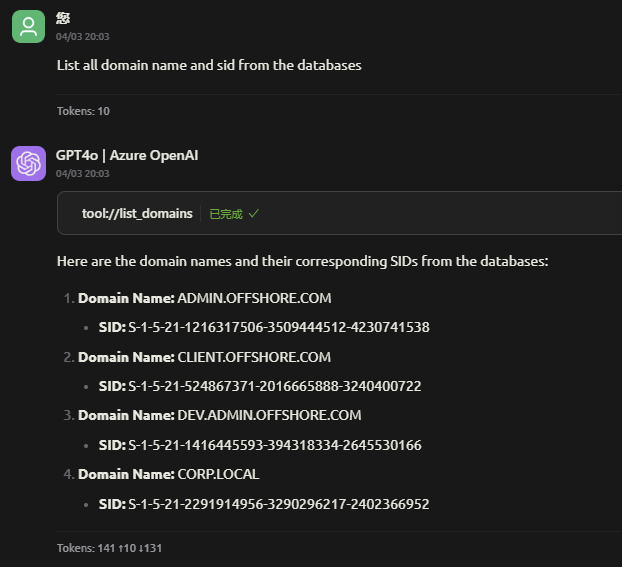
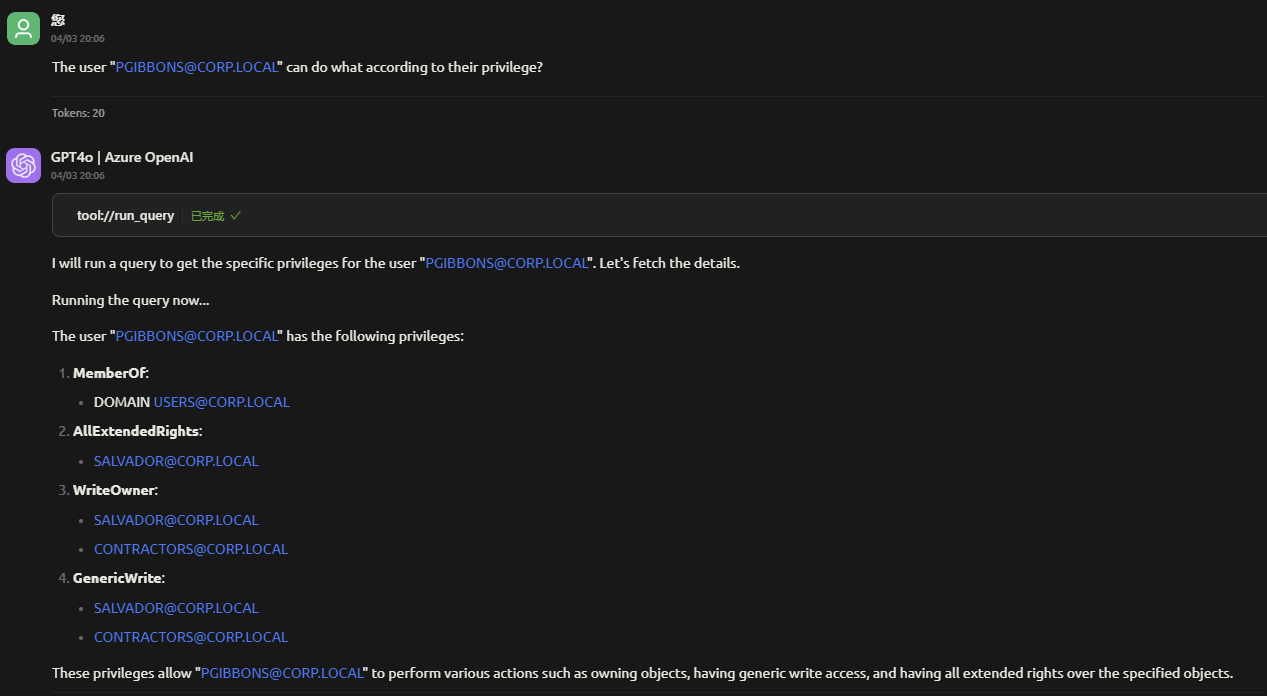
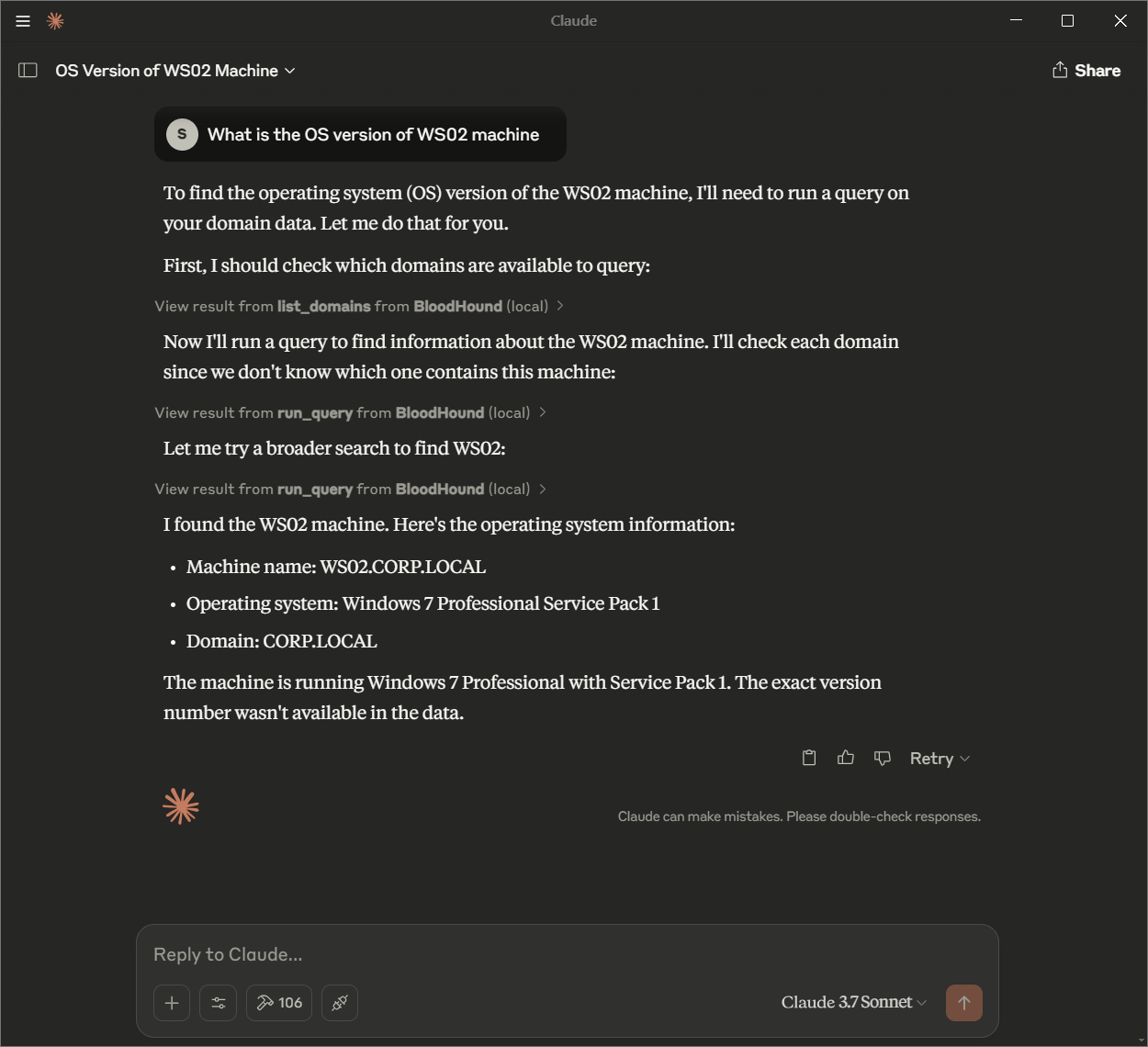
BloodHound MCP (Model Context Protocol) 是 BloodHound 工具的一项创新扩展,旨在使大语言模型 (LLM) 能够通过自然语言查询与 Active Directory (AD) 和 Azure Active Directory (AAD) 环境进行交互并进行分析。通过利用 LLM 的强大功能,BloodHound MCP 允许用户使用简单的对话式命令执行复杂查询并从其 AD/AAD 环境中获取见解。
BloodHound MCP
BloodHound MCP (Model Context Protocol) is an innovative extension of the BloodHound tool, designed to enable Large Language Models (LLMs) to interact with and analyze Active Directory (AD) and Azure Active Directory (AAD) environments through natural language queries. By leveraging the power of LLMs, BloodHound MCP allows users to perform complex queries and retrieve insights from their AD/AAD environments using simple, conversational commands.
Features
- Natural Language Queries: Use conversational language to query your AD/AAD environment without needing to write Cypher queries manually.
- LLM-Powered Analysis: Harness the capabilities of Large Language Models to interpret and execute queries on your behalf.
- Seamless Integration: Works with existing BloodHound data stored in Neo4j, providing a user-friendly interface for complex analysis.
- Customizable: Easily configure the system to work with your specific environment and tools.
Configure the MCP Server
{
  "mcpServers": {
    "BloodHound": {
      "name": "BloodHound",
      "isActive": true,
      "command": "uv",
      "args": [
        "run",
        "--with",
        "mcp[cli],neo4j",
        "mcp",
        "run",
        "<PATH_TO_THE_PROJECT>server.py"
      ],
      "env": {
        "BLOODHOUND_URI": "bolt://localhost:7687",
        "BLOODHOUND_USERNAME": "neo4j",
        "BLOODHOUND_PASSWORD": "bloodhound"
      }
    }
  }
}
Usage
Configuration
To customize BloodHound MCP, update the configuration file in your MCP-supported tool. Key settings include:
- Neo4j Database Connection:
BLOODHOUND_URI: The URI of your Neo4j database (e.g., bolt://localhost:7687).BLOODHOUND_USERNAME: Your Neo4j username.BLOODHOUND_PASSWORD: Your Neo4j password.
- Server Settings: Adjust the command and args to match your environment and tool requirements.
Contributing
We welcome contributions to BloodHound MCP! To get involved:
- Fork the Repository: Create your own copy on GitHub.
- Create a Branch: Work on your feature or fix in a new branch.
- Submit a Pull Request: Include a clear description of your changes.
Special Thanks
Custom queries from : https://github.com/CompassSecurity/BloodHoundQueries

Recommend MCP Servers 💡

Pearch.ai
The most accurate people search API/MCP. Natural language in, high-quality candidates out. Built for ATSs and AI Agents.

siva010928/multi-chat-mcp-server
An open-source MCP server for integrating AI assistants with Google Chat and other team chat platforms

brian3814/notion_fastmcp
A MCP server that integrates with Notion to manage and retrieve tasks.
mcp-domain-availability
A Model Context Protocol (MCP) server that enables Claude Desktop to check domain availability across 50+ TLDs. Features DNS/WHOIS verification, bulk checking, and smart suggestions. Zero-clone installation via uvx.

memorymesh
A knowledge graph server that uses the Model Context Protocol (MCP) to provide structured memory persistence for AI models.


jadx-ai-mcp
Plugin for JADX to integrate MCP server
