

LLM Chess
Play chess against an LLM through MCP. (Nothing serious, it's quite bad at it. Proof of Concept.)
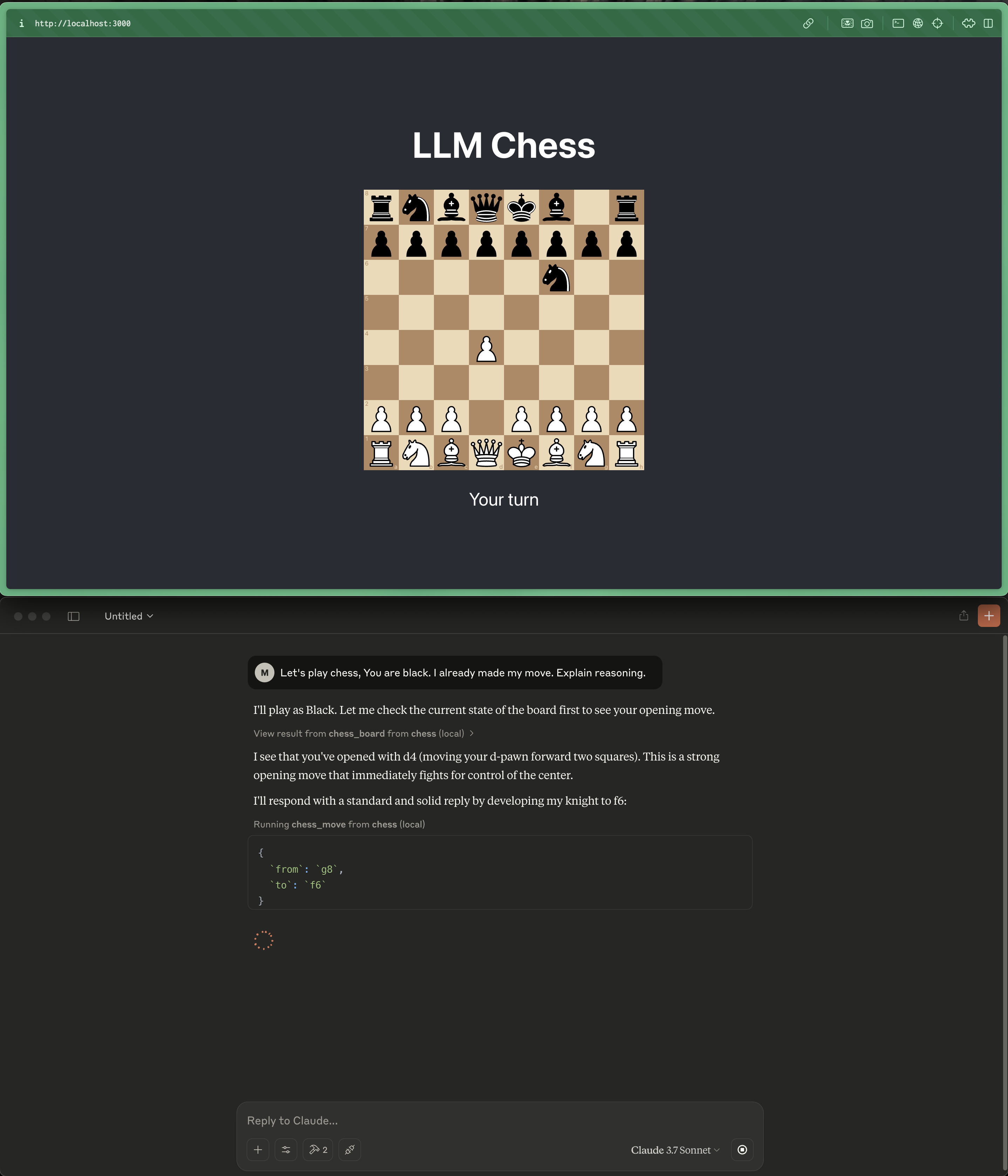
Installation & Running
Prerequisites
- Node.js (install via NVM if not available)
Start the application
# Start frontend
cd frontend
npm install
npm run start
# Start backend (in another terminal)
cd backend
npm install
npm run start
Connect Claude Desktop to MCP
- Open Claude Desktop
- Go to Settings → Developer → Edit Config
- Add the following (replace
/path/to/projectwith your actual project path):
{
  "mcpServers": {
    "chess": {
      "command": "npx",
      "args": ["tsx", "/path/to/project/mcp-chess-poc/backend/mcp.ts"]
    }
  }
}
- Restart Claude
(Any MCP compatible client should work)
Usage
- Make a move in browser
- Ask the LLM to play:
Notes
- Once the LLM is limited in the amount of moves it can make, it starts tripping up.
- Refreshing the browser resets the game

Transport:
stdio
Language: 
Created: 4/19/2025
Updated: 6/13/2025
Recommend MCP Servers 💡

dbeltra/scryfall-mcp
dbeltra
An MCP server that interfaces with the Scryfall API to fetch detailed Magic: The Gathering card data
2025-04-20


ebitengine-mcp
sedyh
An MCP server for Ebitengine games, enabling AI agents in editors like Cursor, VS Code, and Windsurf to debug and interact with game state, capture logs, and record frames.
2025-04-27


AniList MCP server
yuna0x0
AniList MCP server for accessing anime and manga data
2025-03-20


yutu
eat-pray-ai
The AI-powered toolkit that grows your YouTube channel on autopilot.
2023-05-20
youtube_mcp
format37
Youtube transcribation MCP server
2025-07-23
sse

mcp_youtube_dlp
yorickchan
A MCP server for downloading YouTube videos and audio using yt-dlp.
2025-04-22