

MCP Server for NBA Stats Predictor Application
An MCP-powered tool for the NBA stats predictor app that generates player performance forecasts using real-time data analysis and advanced statistical modeling.
Installation
Prerequisites
- Python 3.8+
- pip
- Claude Desktop
Step-by-Step Setup
-
Clone this repository onto your local device
-
Navigate to the project directory:
cd nba-stats-predictor-application -
Create a virtual environment:
python3 -m venv venv -
Activate the virtual environment:
source venv/bin/activate -
Install dependencies:
pip install -r requirements.txt -
Download the necessary data:
python3 data_pipeline/download_data.py -
Train the prediction model:
python3 models/train_model.py -
Start the FastAPI server:
uvicorn api.fastapi_server:app --reload -
Open a new terminal
-
Return to the project directory
-
Install UV package manager:
curl -LsSf https://astral.sh/uv/install.sh | sh -
Restart the terminal in this directory
-
Run the MCP server:
uv run mcp_main.py -
Open another new terminal
-
Configure Claude Desktop:
code ~/Library/Application\\ Support/Claude/claude_desktop_config.jsonNote: If the file doesn't exist, create it.
-
Add the following configuration to
claude_desktop_config.json:{ "mcpServers": { "NBA-stats-predictor": { "command": "/PATH/TO/PROJECT/DIRECTORY/.venv/bin/uv", "args": [ "--directory", "/PATH/TO/PROJECT/DIRECTORY/", "run", "mcp_main.py" ] } } }Remember to replace
/PATH/TO/PROJECT/DIRECTORY/with the actual path to your project. -
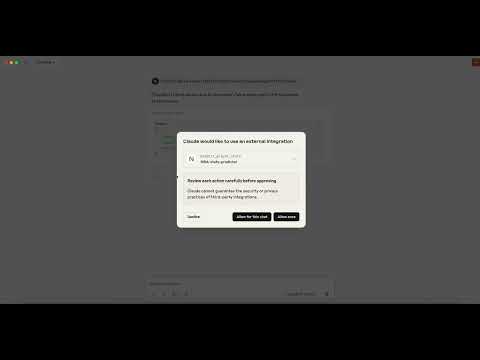
You should now be able to use this MCP tool on Claude Desktop.
Usage
Once configured, you can use the NBA stats predictor tool in Claude Desktop to get predictions for player performance in upcoming games.
Troubleshooting
- Make sure all paths in the configuration are correct
- Ensure the virtual environment is activated before running commands
- Check that all dependencies are properly installed
- Verify that the FastAPI server is running before using the MCP tool

Recommend MCP Servers 💡

cognee
Knowledge Engine for AI Agent Memory in 6 lines of code

mcp-server-fetch
An MCP server enabling LLMs to fetch and process web content as markdown.

php-mcp/server
A comprehensive PHP SDK for building Model Context Protocol (MCP) servers, supporting stdio, http+sse, and streamable HTTP transports.


ebook-mcp
A Model Context Protocol (MCP) server designed for processing mainstream eBook formats like EPUB and PDF, enabling natural language interactions with digital books through LLMs for smart library management, interactive reading, and active learning.

opencv-mcp-server
An MCP server that provides powerful OpenCV computer vision capabilities for AI assistants, enabling image and video processing, object detection, and tracking.

@scrapezy/mcp
A MCP server for Scrapezy enabling AI models to extract structured data from websites
