

eClass MCP Server
An MCP server for interacting with the Open eClass platform, with support for UoA's SSO authentication.


Features
- SSO Authentication: Log in through UoA's CAS SSO system
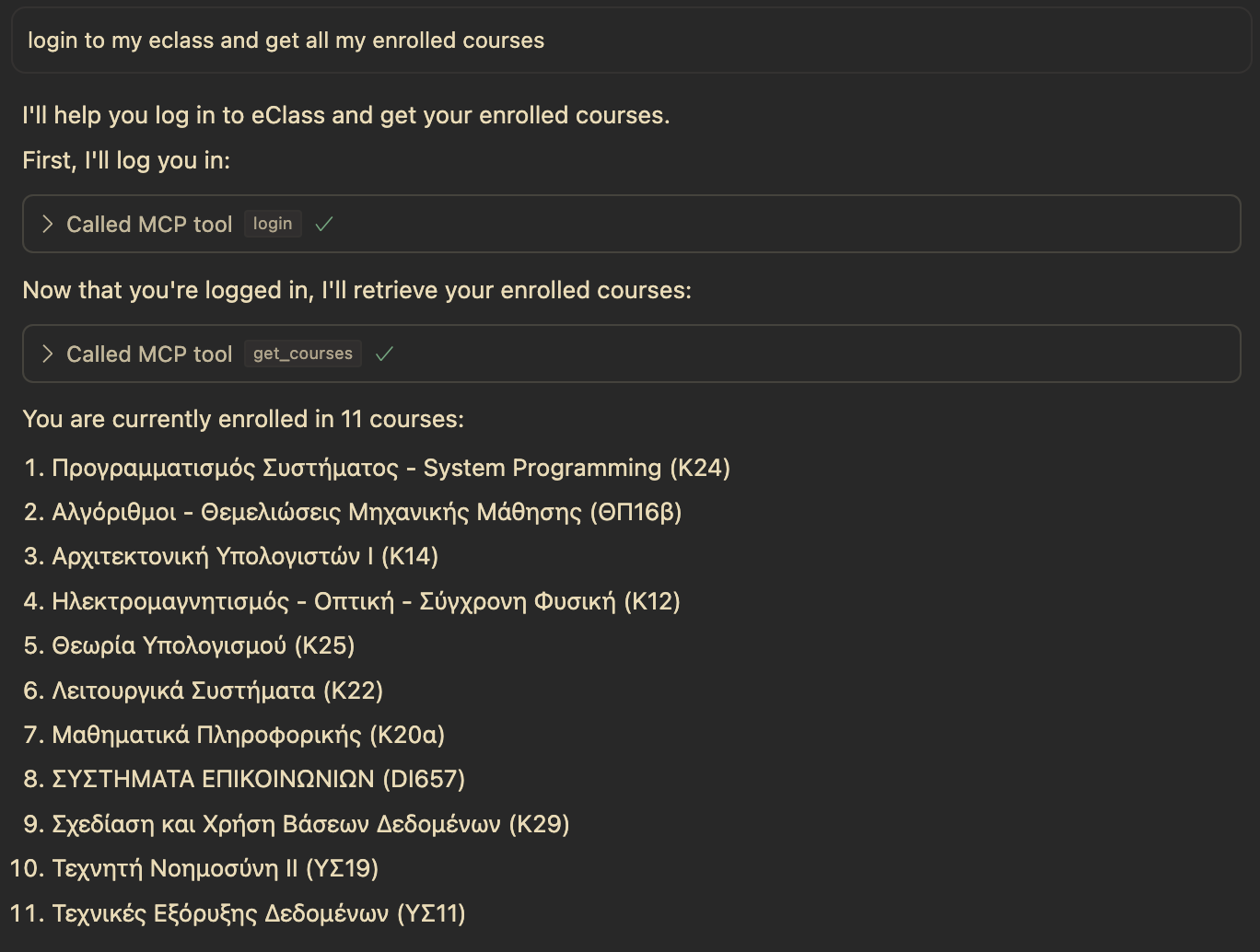
- Course Retrieval: Get list of enrolled courses
- Session Management: Persistent sessions between tool calls
- Status Checking: Verify authentication status
Quick Start
Prerequisites
- Python 3.10+
- uv (recommended) or pip
Installation
git clone https://github.com/sdi2200262/eclass-mcp-server.git
cd eclass-mcp-server
uv sync --dev --all-extras
Configuration
Create a .env file (or copy example.env):
ECLASS_USERNAME=your_username
ECLASS_PASSWORD=your_password
Optional settings:
ECLASS_URL=https://eclass.uoa.gr          # Default
ECLASS_SSO_DOMAIN=sso.uoa.gr              # Default
ECLASS_SSO_PROTOCOL=https                 # Default
Running
# Using the entry point script
python run_server.py

# Or as a module
python -m src.eclass_mcp_server.server
MCP Client Configuration
To use this MCP server with Claude Desktop, VS Code, Cursor, or any MCP-compatible client, configure your client to run:
python3 /absolute/path/to/eclass-mcp-server/run_server.py
Set the following environment variables in your client's MCP configuration:
{
  "env": {
    "ECLASS_USERNAME": "your_username",
    "ECLASS_PASSWORD": "your_password"
  }
}
Optional environment variables:
ECLASS_URL- OpenEclass instance URL (default:https://eclass.uoa.gr)ECLASS_SSO_DOMAIN- SSO domain (default:sso.uoa.gr)ECLASS_SSO_PROTOCOL- SSO protocol (default:https)
Refer to your specific client's documentation for how to add MCP servers to your configuration.
Available Tools
| Tool | Description |
|---|---|
login |
Authenticate using credentials from .env |
get_courses |
Retrieve enrolled courses (requires login) |
logout |
End the current session |
authstatus |
Check authentication status |
All tools use a dummy random_string parameter (MCP protocol requirement).
Standalone Client
For non-MCP usage, a standalone client is included:
python eclass_client.py
This demonstrates the core functionality without MCP integration. See docs/architecture.md for details.
Documentation
- Architecture - System design and authentication flow
- Wire Protocol - JSON-RPC message formats
- Tools Reference - Detailed tool documentation
Project Structure
eclass-mcp-server/
├── run_server.py               # Entry point
├── eclass_client.py            # Standalone client (non-MCP)
├── src/eclass_mcp_server/      # Main package
│   ├── server.py               # MCP server and tool handlers
│   ├── authentication.py       # SSO authentication
│   ├── course_management.py    # Course operations
│   ├── html_parsing.py         # HTML parsing utilities
│   └── test/                   # Test scripts
└── docs/                       # Documentation
Security
- Credentials are stored locally in
.envonly - Never passed as tool parameters (preventing AI provider exposure)
- Sessions maintained in-memory only
- No cloud services or remote storage
License
GNU GPL v3.0 - This ensures transparency in credential handling.
Acknowledgments
- GUnet for the Open eClass platform
- This project is an independent interface, not affiliated with GUnet

Recommend MCP Servers 💡

@llamaindex/mcp-server-llamacloud
A MCP server that connects to and queries managed indexes on LlamaCloud, providing contextual information to MCP clients.


rijksmuseum
Rijksmuseum MCP integration for artwork exploration and analysis

productboard-mcp
Integrates the Productboard API into agentic workflows via MCP, providing tools to access company, component, feature, and product data.


kukapay/whereami-mcp
A lightweight MCP server that provides geolocation information based on IP address.

@modelcontextprotocol/server-memory
A Model Context Protocol (MCP) server that provides persistent memory using a local knowledge graph, enabling AI models like Claude to remember user information across chats.

mcp-deepwiki
An unofficial MCP server designed to fetch and convert content from deepwiki.com into Markdown, providing knowledge for AI code editors like Cursor.