


YingDao AI Power: An AI low-code platform that quickly creates AI agents and AI workflows, helping users leverage AI effectively.
YingDao RPA: An RPA low-code platform, a user-friendly RPA automation product that frees people from repetitive labor.
Yingdao RPA MCP Server is implemented based on the Model Context Protocol (MCP), providing a bridge for interaction between YindDao AI Power and other tools that can serve as MCP Hosts (such as Claude Desktop, Cursor, etc.). It enables AI to utilize RPA capabilities.
It supports both SSE Server and Stdio Server modes.
Getting Started
There are two ways to run YindDao RPA:
Local Mode
Set environment variables:
RPA_MODEL=local
SHADOWBOT_PATH={your_shadowbot_path} //Path to YindDao RPA executable
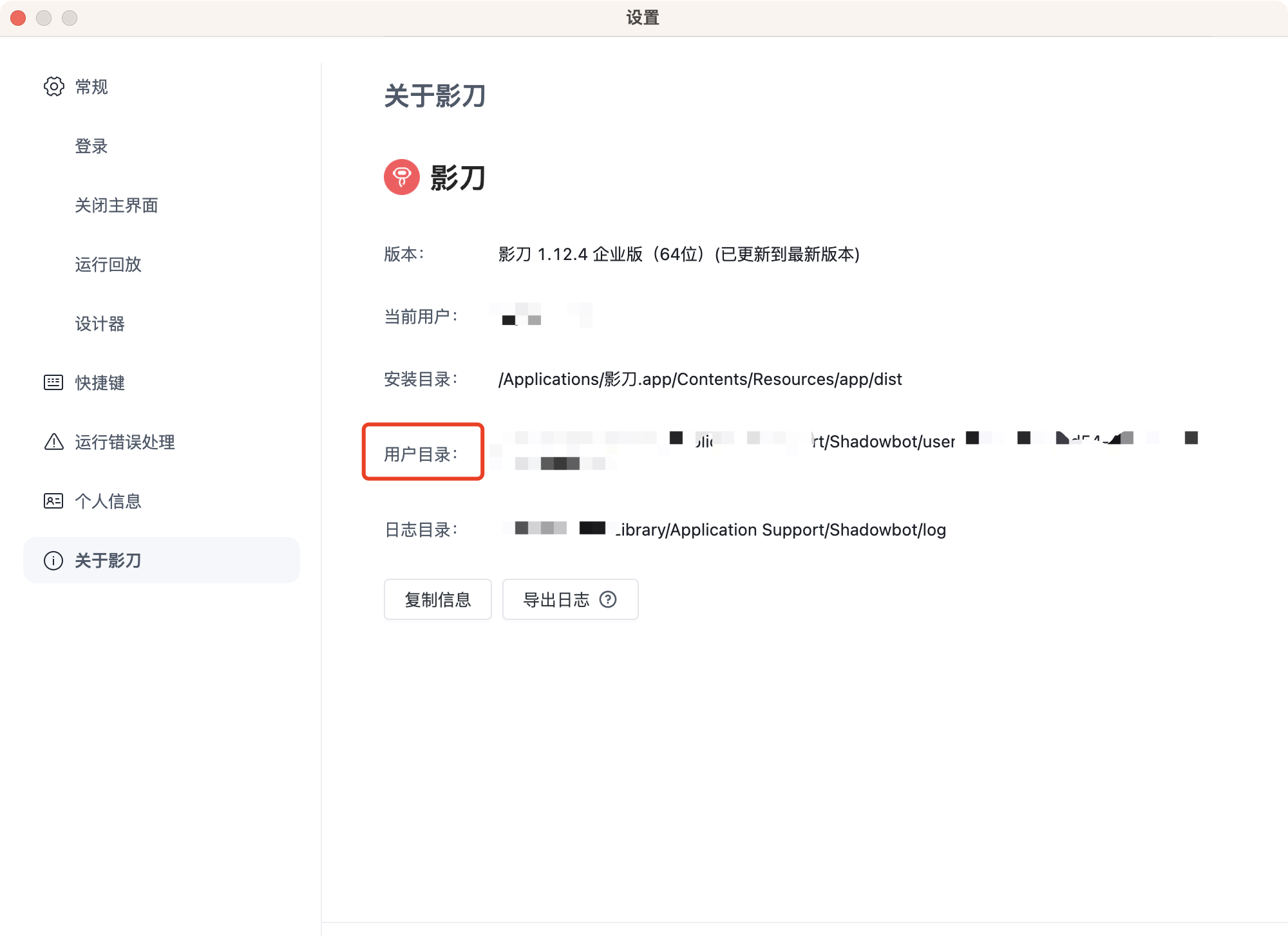
USER_FOLDER={your_user_folder}       //Path to YindDao RPA user folder
Path to YindDao RPA executable
Windows
D:\\Program Files\\{installation directory}\\ShadowBot.exe
Mac
/Applications/影刀.app
Path to YindDao RPA user folder
Find the user folder option in YindDao RPA settings
Open API Mode (Enterprise users only)
Set environment variables:
RPA_MODEL=openApi
ACCESS_KEY_ID={your_access_key_id}
ACCESS_KEY_SECRET={your_access_key_secret}
How to obtain
Enterprise administrators can obtain this by logging into the YindDao RPA console. Please refer to YindDao RPA Help Documentation - Authentication
Stdio Server Startup
Configure in the client:
{
  "mcpServers": {
    "YingDao RPA MCP Server": {
      "command": "npx",
      "args": ["-y", "@automa-ai-power/rpa-mcp-servers", "-stdio"],
      "env":{
        "RPA_MODEL":"openApi",
        "ACCESS_KEY_ID":"{your_access_key_id}",
        "ACCESS_KEY_SECRET":"{your_access_key_secret}"
      }
    }
  }
}
SSE Server Configuration
Build
Clone the repository and build:
git clone https://github.com/AutomaApp/aipower-rpa-mcp-server.git
cd aipower-rpa-mcp-servers
npm install
npm run build
Configuration
Add a .env file with configuration items as described above
Startup
npm run start:server
Client Configuration
AI Power client configuration:
{
  "mcpServers": {
    "YingDao RPA MCP Server": {
      "url": "http://localhost:3000/sse",
      "description": "Yingdao RPA MCP Server"
    }
  }
}
The default port is 3000
Capabilities
Local Mode
- queryRobotParam: Query RPA application parameters
- queryApplist: Query RPA application list
- runApp: Run RPA application
Open API Mode
- uploadFile: Upload files to the RPA platform
- queryRobotParam: Query RPA application parameters
- queryApplist: Get paginated RPA application list
- startJob: Start an RPA job
- queryJob: Query RPA job status
- queryClientList: Query the list of RPA robot clients
License
MIT


Recommend MCP Servers 💡

@debugg-ai/debugg-ai-mcp
An AI-driven browser automation and end-to-end test server implementing the Model Context Protocol (MCP), designed to help AI agents test UI changes, simulate user behavior, and analyze visual outputs of running web applications via natural language and CLI tools.


@browserbasehq/mcp
Allow LLMs to control a browser with Browserbase and Stagehand

@hmbt/hamibot-mcp-server
基于Model Context Protocol的服务器实现,用于与Hamibot API交互,管理控制Hamibot设备及脚本

HarmonyOS-mcp-server
MCP server for manipulating HarmonyOS next devices.


nexuscontroller
Android device automation platform with MCP support for AI integration

thinqconnect-mcp
This is the official MCP (Model Context Protocol) server for LG ThinQ devices. This server provides integrated control capabilities including status monitoring, device control, and profile information for various LG ThinQ devices, built on the LG ThinQ API and Python Open SDK.